

Group Greeting Cards are Here: Send One Online Directly from the Pot

Collctiv has a new feature! You can now turn all the messages people leave on the group collection into a greeting card, paid directly from the pot. Open your pot, tap Create card, pick a design, and the messages people leave when they chip in can go straight inside it. The card is free to make, and £5 comes out of the pot only when you're ready to send it.
This saves you the step of having to buy a greeting card and pass it around at the last minute. We wanted to facilitate the organiser’s job even more by automating this so that you’re not chasing people for the card and the collection in separate places.
How to make online group cards on Collctiv
You don't need to wait until everyone has paid. You can start designing the card straight away, and messages are added as people contribute.
1. Create a pot to collect for a gift
If you haven't used Collctiv before, sign up online. Then create a pot, choose the Gift category and customise it however you like. You can suggest an amount to pay, add a deadline or set a target.
Share the pot link so friends and family can chip in with Apple Pay, Google Pay or card. Contributors don't need to download the app.
2. Start the card from your pot
On your pot page, find the Greetings card section and tap Create card. The card is saved as you go, so you can leave it and come back later.
3. Pick a design
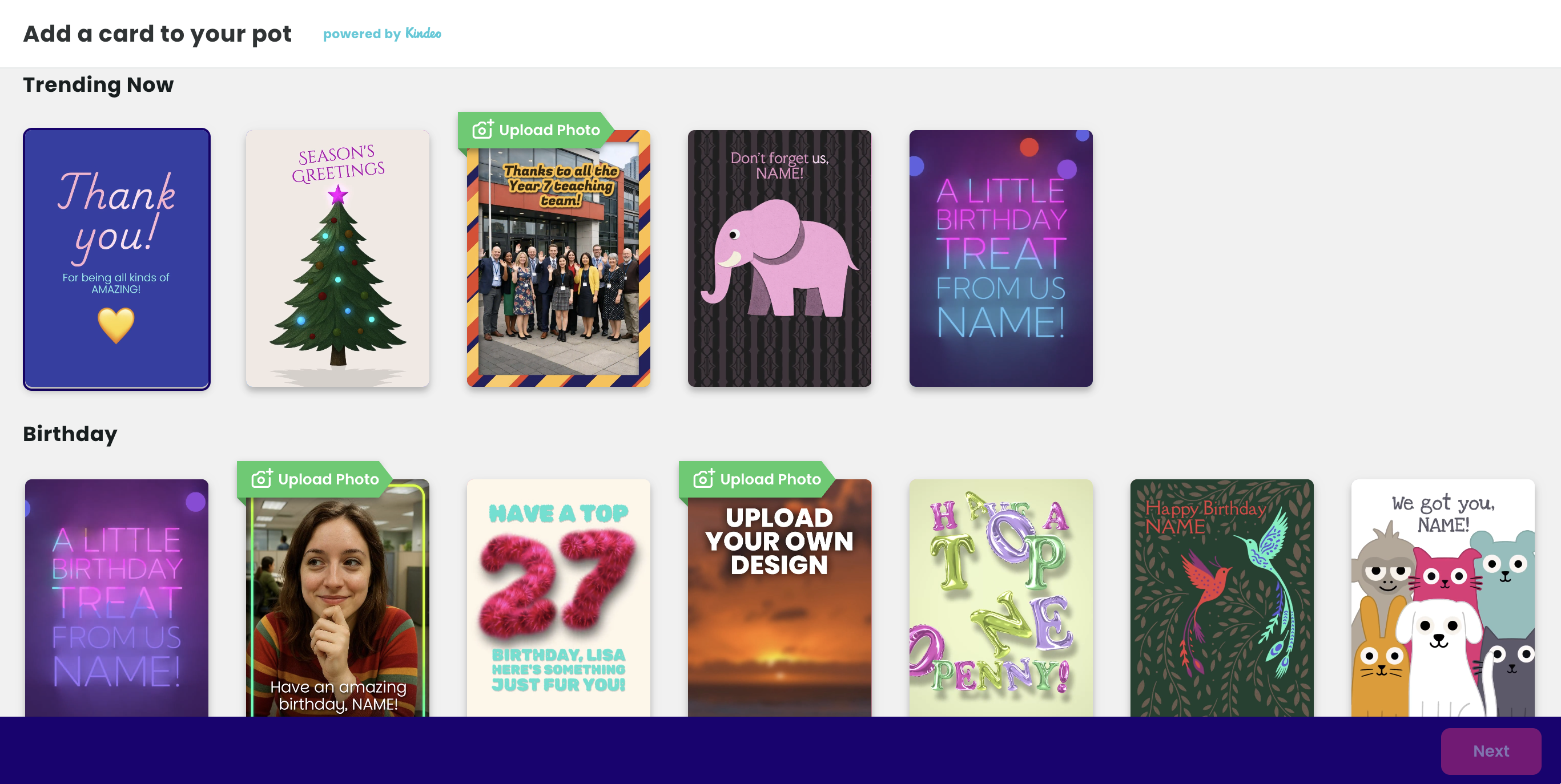
Start a card from scratch, browse the trending cards or jump to a category. We have group birthday cards, teacher appreciation, leaving and Christmas designs. Some designs let you upload your own photo, which works well for leaving cards and team photos.
4. Make it yours
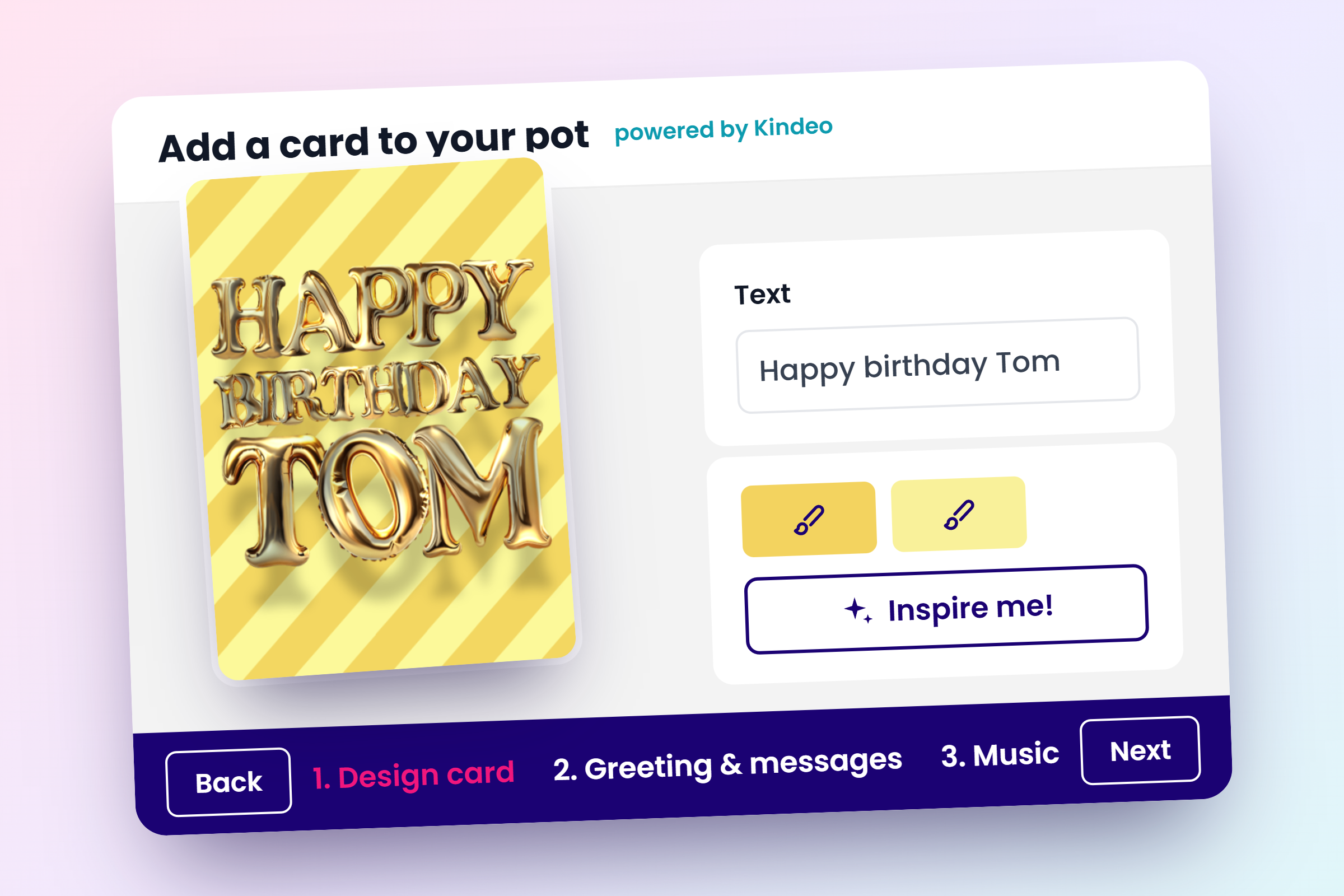
Choose up to five colours for the cover, or tap Inspire me to try new colour combinations. Write the message for the front of the card and choose between different fonts, colours and effects. You can also choose to add stickers, call-outs and a picture.
5. Choose which messages go inside
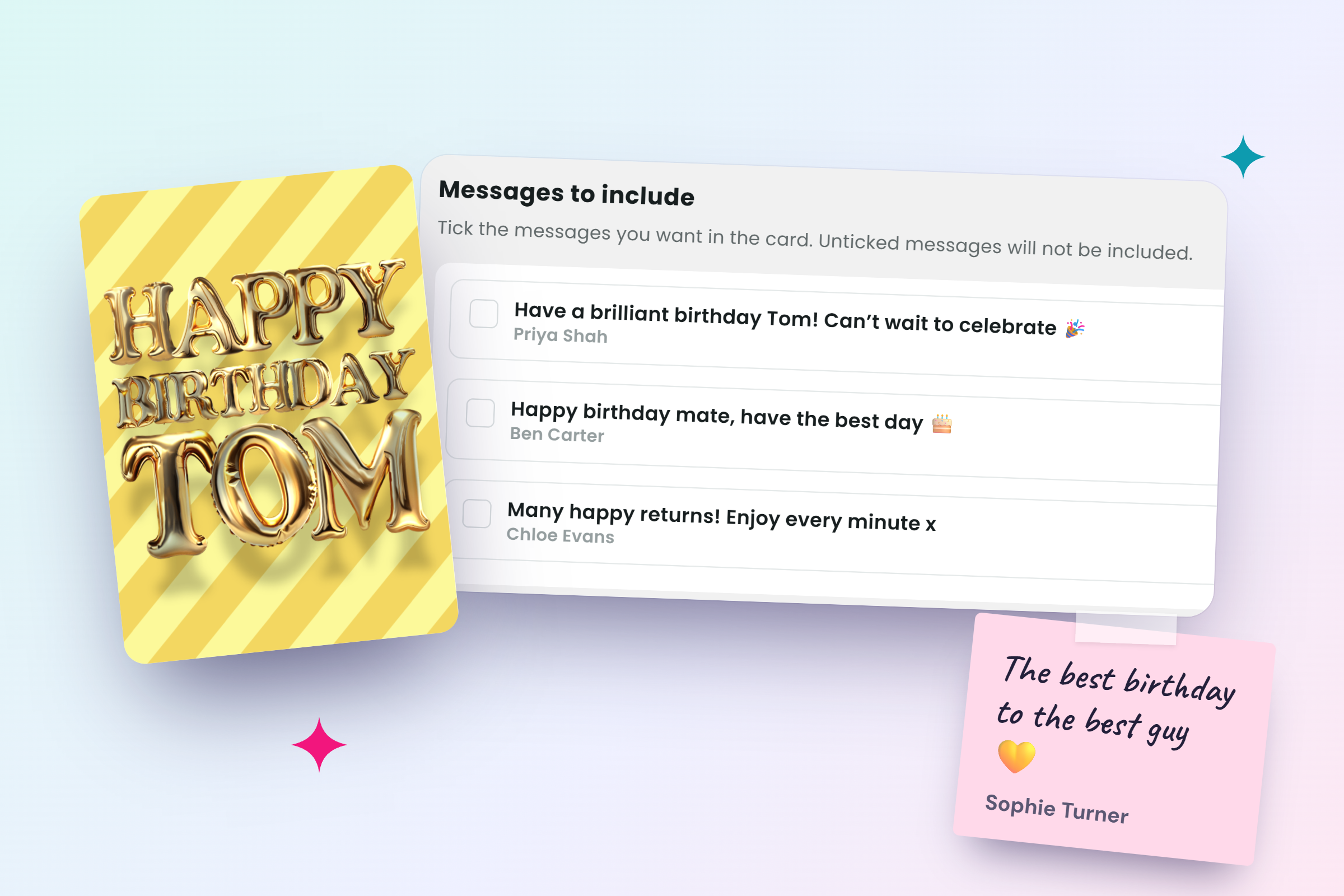
When people pay into your pot, they can leave a message. Those messages appear on the card's inside pages, and you tick the ones you want to include. Untick anything you'd rather leave out. You can also add your own message and others for people who forgot to leave a message with the payment.
6. Add a soundtrack
If you wish, you can add a tune that plays with the card, from chilled and upbeat tracks to birthday songs.
7. Pay from the pot and schedule it
When the card is ready, pay £5 from the pot. Then enter the recipient's email address and choose the day it should arrive, and Collctiv emails it to them on that date.
How much an online group card costs, and who pays
Making the card is free. You only pay when it's ready to send, and the £5 comes out of the money already in your pot. This way the card is part of the gift and everyone participates in its purchase.
What the recipient sees
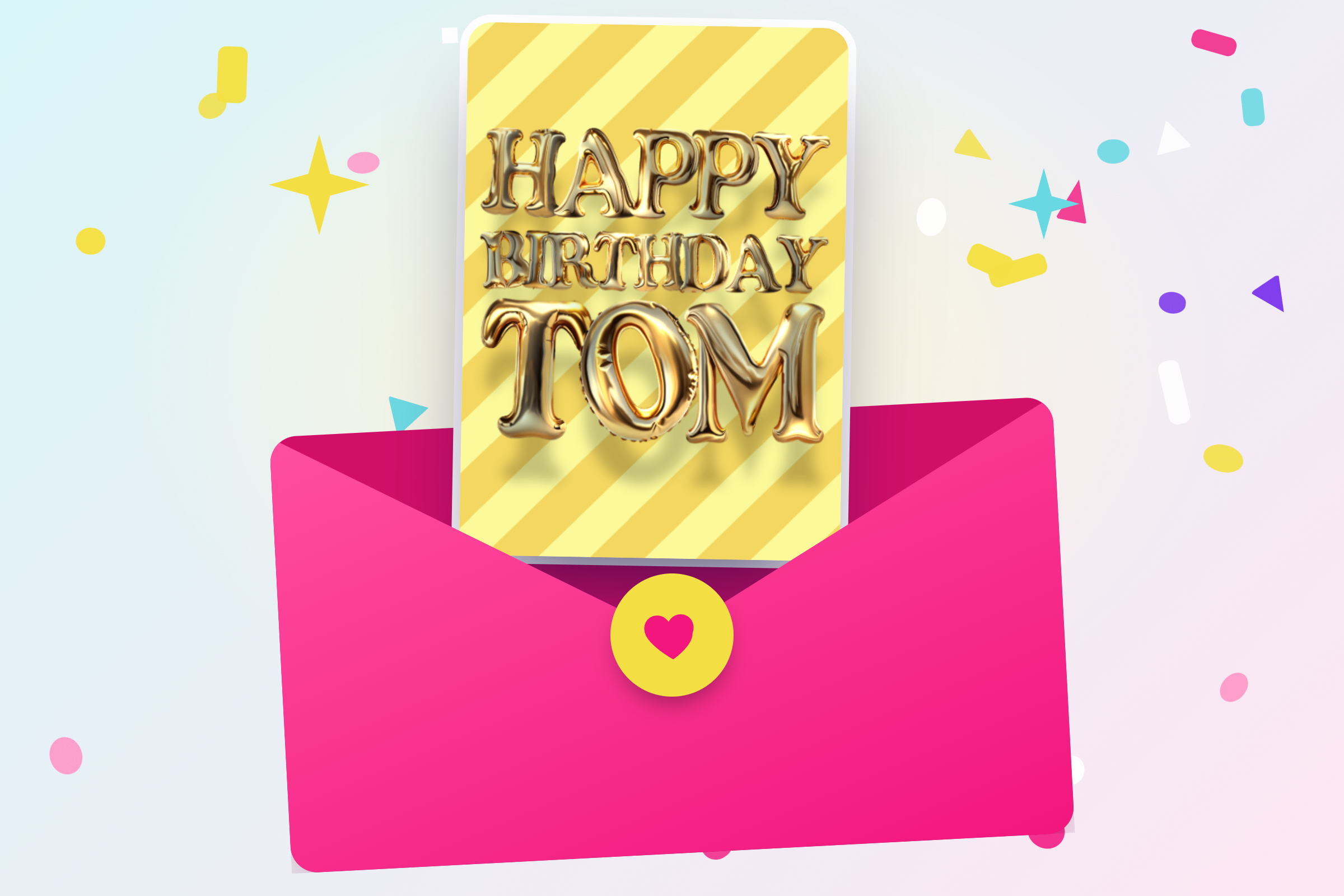
On the day you chose, the recipient gets an email with their card. It opens as an envelope, and they tap Play your card to see the cover, read everyone's messages and hear the soundtrack. They can then share that card with anyone they like.
Why do a group collection for a gift
Some occasions require special gifts. Pooling money means you can get a gift the person will actually remember and use, instead of lots of small ones they won't. Everyone chips in what they can, and you don't have to pay up front and then chase people for bank transfers. If you are looking for ideas for a leaving gift, birthday present, Christmas teacher gift or something else, head to our blog for plenty of inspiration!
Start your collection and card together
Whether it’s a birthday, a leaving do or a thank you, set up the pot and the card in one go. Share the link, let people chip in and leave a message, then send the card on the day.


