

Stop putting the
office collection
through your own bank.
Whether it's a leaving gift or the Christmas party - send one link instead. No bank details by email. No statements to trawl through. No money sitting in your account that isn't yours.

3000+ App Store reviews
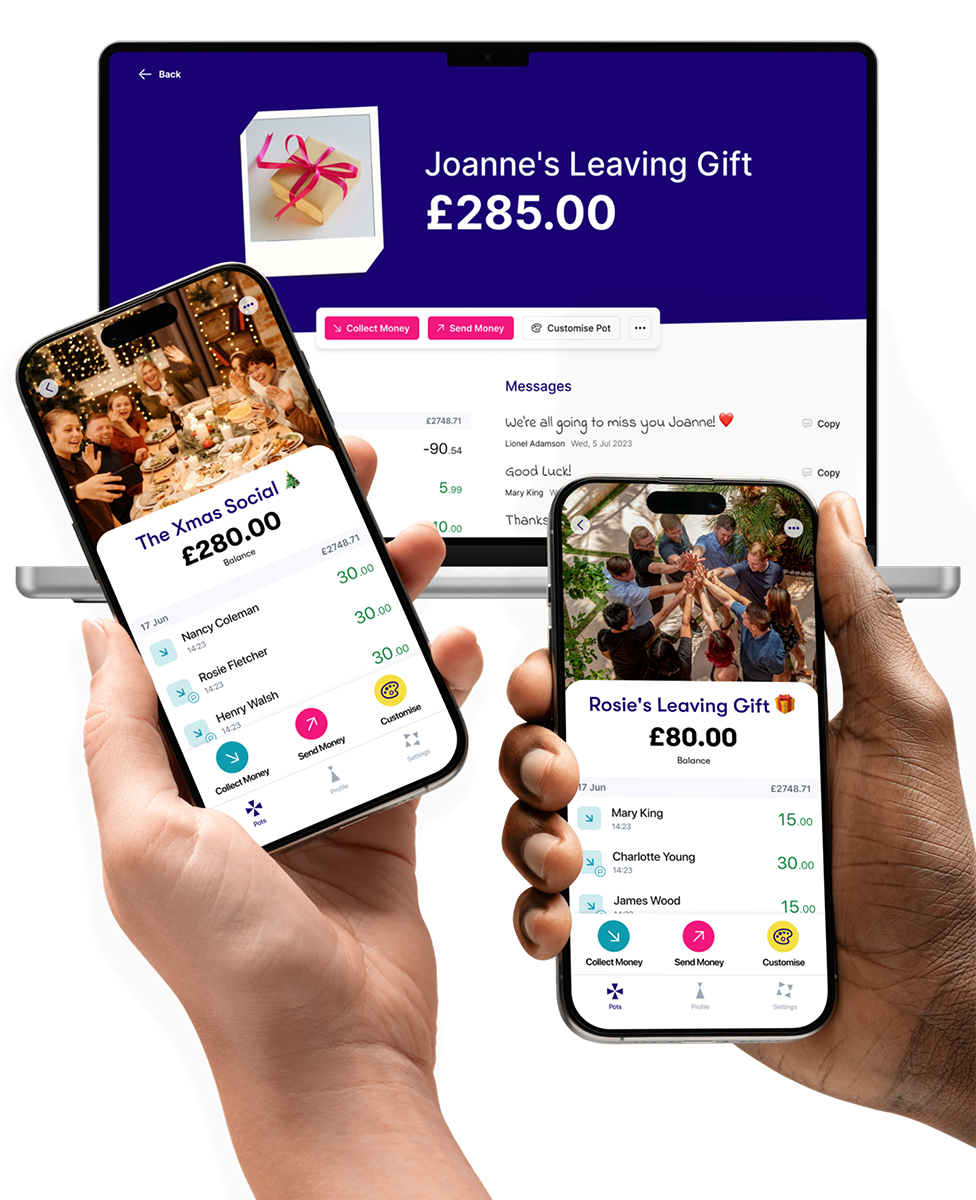
See exactly
who's paid.
All in one place.
No random payments landing in your account. No statement to decipher.
1
Drop the link into Teams, Slack, or a group email. Colleagues chip in from wherever they're working.
2
They tap to pay. No app, no account, no bank details needed.
3
See the running total and who's paid. Withdraw to your bank, send on, or buy a gift card - your call.
How does Collctiv work?

Create your Pot
Pots are free, create as many as you want, it only takes a couple of seconds.

Share the Pot link
Share the link on Teams, Slack, WhatsApp, email - basically, wherever you like.

Spend the money
Buy a gift card, send on to someone else or withdraw to your bank account.
Have any questions?
Can contributors choose how much to send?
Yes, there's no fixed amount by default, so each colleague decides what feels right to them. If it's useful, you can also set a suggested amount that pre-fills the payment screen but contributors can still change it before paying.
Can I buy a gift card directly from the pot?
Yes, you can send money from the pot straight to an e-gift card rather than withdrawing to your bank account first and buying it separately.
Can I buy a gift card and withdraw the rest of the money?
Yes, buying a gift card and withdrawing to your bank account are separate actions you can both take from the same pot, so you're not limited to doing one or the other. You could, for example, put part of the pot towards a gift card and withdraw the remainder in cash, in whatever split works for you.
Can people leave a message when they pay, to go in the card?
Yes, colleagues can add a personal note along with their payment, which you can then pull together and print or copy into the teacher's card.
Can I set a deadline for people to pay by?
Yes, you don't have to set one, but you can add a deadline in the pot's customise menu, and once that date hits, the pot closes automatically and stops taking further payments.
LOVED, TRUSTED AND USED BY THE PEOPLE AT


.png)

Customise your Pot
Customise your Pot, set a closing date, show who’s paid in already, add a fundraising target, add extra information about the collection, and more.
Keep money separate from your bank
Don’t mix group money in with your personal bank account. Keep track of who’s paid what and when.
Making a payment takes seconds
Anyone paying into the pot just uses their card details or they can use Apple Pay or Google Pay. No need to sign up for an account or download an app, just tap and you’re done! The money appears in your pot instantly.

Spend the
money instantly
Buy a gift card, send the money to someone else or withdraw straight to your bank account. The choice is yours.
Our customers love us

Missym17

I have used this app for lots of different things since WFH from organising collections for leaving gifts at work to selling tickets for the Christmas party. It just makes it so easy to just send the link and saves me dishing out my bank details to everyone by email.

Adam H
This is a great app! It's so easy to set up a money pool/collection and send out the link. It makes it really easy for everyone to put their money in, they just use their credit/debit card, no need for them to have the app. So much easier than trying to get everyone to do a bank transfer! I've used it to collect for a christmas party and for a leaving gift for colleagues.
Scott A
With people working remotely, some in the office, some not, this made the collection a whole lot easier, transparent and professional.
You're in great company
2.4m+
Users
£268m
Processed
175
Countries
7.1m
Transactions


Follow us on social


